How it works
How Gaggle Mail works
One email address for your whole group. Send a message, and everyone gets a copy in their inbox — Gmail, Outlook, Apple Mail, anything. Reply, and the whole group can join in.
Members don't need an account. If they can reply to an email, they can use it.
Free for up to 200 members • No credit card required
Diagram: one message sent to a Gaggle Mail group address is delivered to every member's own inbox
Saturday clean-up: who's in?
Meet at the pavilion at 10 — reply if you're in.
↩ Reply to groupGmail
Sarah's inbox
Outlook
Tom's inbox
Apple Mail
Ruth's inbox
Saturday clean-up: who's in?
Meet at the pavilion at 10 — reply if you're in.
↩ Reply to groupGmail
Sarah's inbox
Outlook
Tom's inbox
Apple Mail
Ruth's inbox






Trusted by 17,000+ groups ★★★★★ 4.8/5 on G2
Getting started
Set up in three steps
Choose your group's email address
Pick an address like yourgroup@gaggle.email — or use your own domain, so messages come from members@yourchurch.org. This is the one address everyone will remember.
Or receive at your own domain, like board@bpa.org.
Add your members
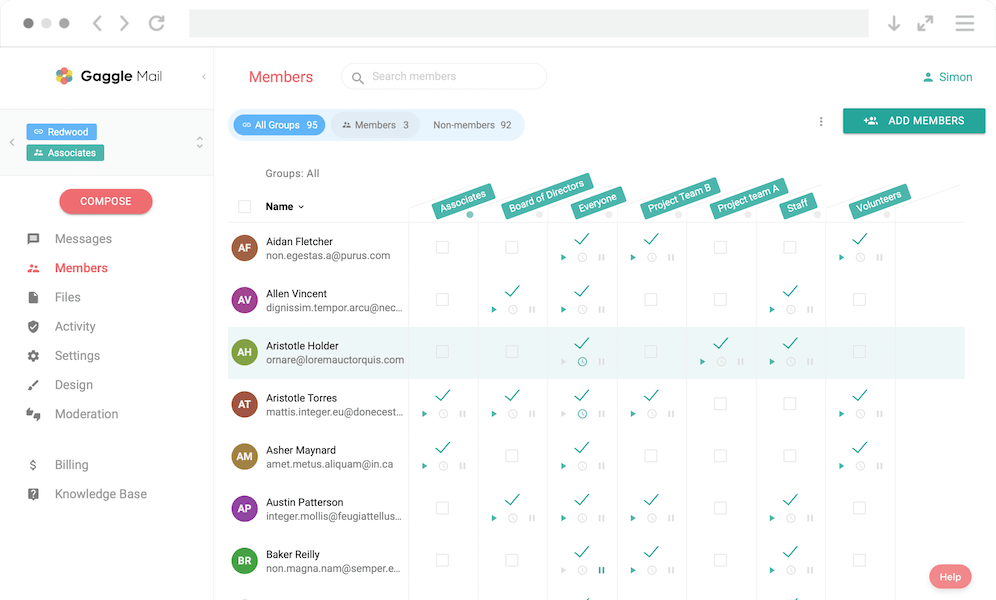
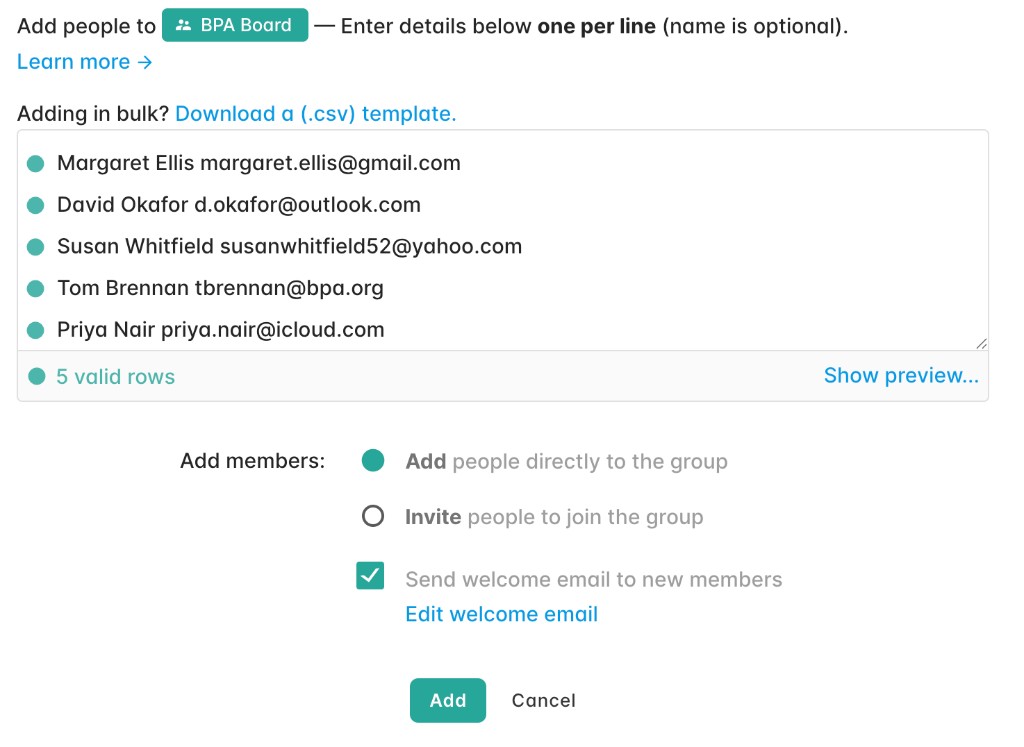
Type them in, paste a list, or upload a spreadsheet — from ten people to ten thousand. Nobody has to sign up for anything or confirm anything before the group works. You can also let people join themselves with a signup link. Keeping that list accurate over time is covered in email list management.
Send your first message
Email the group address from your normal inbox, or compose from the Gaggle Mail dashboard. Every member gets it seconds later. Replies flow back to the group (or just to you — your choice).
Agenda for Thursday's board meeting
Pat Lee via bpa-board@gaggle.email
to BPA Board
Hi everyone — agenda for Thursday is attached. Two additions since last month: the budget review and the summer social. Reply here with anything you'd like added…
Wherever you're starting from — the best way to get a feel for Gaggle Mail is to create a group and give it a try. Sign up, then start a group. It's as easy as 1, 2, 3.
For your members
What your members see: just email
Your members don't need a Gaggle Mail account. They don't download an app, create a password, or learn a new website. A group message is an ordinary email in the inbox they already check, and taking part means doing the one thing every member of your group already knows how to do: hitting reply.
That matters because real groups aren't made of power users. A congregation, an HOA, an alumni association — there's always someone on a ten-year-old iPad, someone on AOL, someone who prints their emails. Gaggle Mail works for all of them on day one, because it doesn't ask them to change anything.
Members who want more control have it, without you lifting a finger: a daily digest instead of individual messages, a searchable message archive on the web, and a one-click unsubscribe in every footer — so "please remove me from this list" emails stop landing in your inbox.
Summer social — save the date
Jo Reyes via bpa-board@gaggle.email 1
to BPA Board
Hi all — the summer social is confirmed for Saturday July 18th at the pavilion. Family and friends welcome. More details to follow, but get it in the diary…
- 1Messages come from your group's one address, with the sender's name.
- 2Taking part is just hitting reply — no login, no app.
- 3Every footer has the archive, digest, and one-click unsubscribe.
For you
What you control
You decide how your group behaves. Open discussion, or announcement-only where just admins post. Moderation if messages need approval before going out; member approval if joining does. Roles so you're not the only one holding the keys. Your branding, welcome email, and message footer. And behind it all: reliable delivery, a searchable archive, delivery reports, and analytics that show you how healthy the group is.
Rather not pay for everyone yourself? Turn on Chip in and members pay toward your group's Gaggle Mail subscription, with no login. A free group upgrades itself once they've covered it.
Want the full list — labels, incognito mode, AI summaries, the API? See everything Gaggle Mail can do
“It was so easy to get started with Gaggle Mail. Our groups were setup in minutes and then every customization we needed was right there, just where we needed them.”

Effortless migration
Switching? We migrate you for free
Coming from Google Groups, LISTSERV, Lyris, or Mailman? We handle the entire transfer — your message archive, member list, preferences, and group settings — completely free. Just email us and we'll take it from there.
Moving from a different platform? See how Gaggle Mail compares.
Who uses Gaggle Mail
Built for real-world groups
Gaggle Mail powers group email for thousands of organizations. Group owners pick it for the simplicity and stay for the reliability. See how it works for groups like yours:
“From the moment we set it up, Gaggle Mail has operated flawlessly. The ease by which you can manage subscribers, send messages, and track activity is saving us so much time. Invaluable for a small not-for-profit organisation.”

Questions
Frequently asked questions
Ready to dive in? Get started for free today.
Completely free for groups of up to 200 members. All paid plans have 30-day free trial, no credit card required.
Get started free